
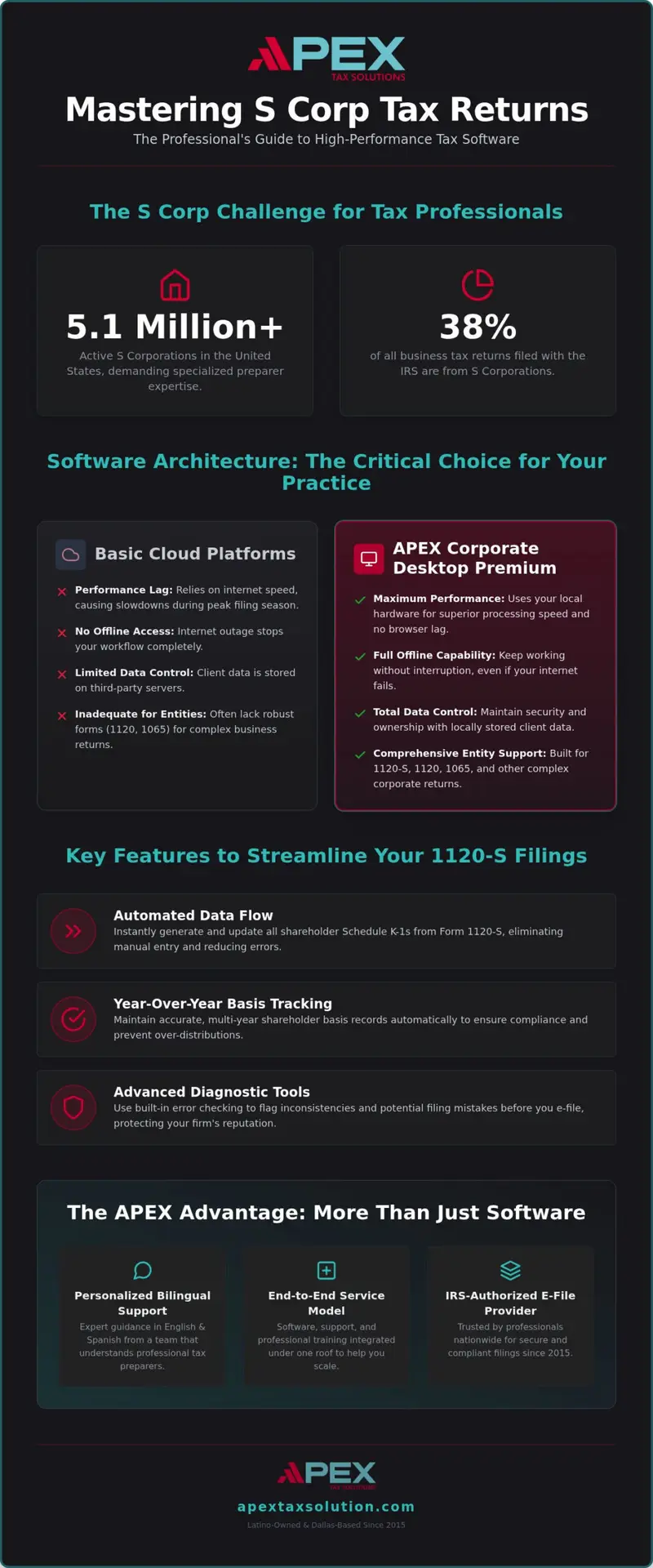
Did you know that S corporations now account for 38% of all business tax returns filed with the IRS? With over 5.1 million S Corps active in the United States, choosing the right tax software for s corp returns is no longer optional for a growing practice. You’ve likely felt the pressure of the March 16, 2026, deadline while wrestling with manual data entry for complex K-1 distributions. It’s exhausting when basic cloud platforms lack local data control or leave you waiting for technical support during the peak of tax season.
We understand that your professional growth depends on speed and accuracy. This guide shows you how to select and implement professional-grade software to streamline your 1120-S filings and scale your practice. You’ll discover how the right tools allow you to process returns faster while maintaining the expert-level support your business deserves. We’ll explore why moving to a high-performance desktop suite like APEX Corporate Desktop Premium provides the security, integration, and efficiency required to handle your clients’ most complex business entity needs with total confidence.
Key Takeaways
- Understand the critical differences between consumer-grade tools and professional desktop suites that offer the local data control required for business entities.
- Discover how to automate data flow between 1120-S forms and shareholder K-1s using professional tax software for s corp returns to eliminate manual entry errors.
- Master the step-by-step process for migrating client data and training your staff on corporate-specific modules to ensure a smooth transition before peak filing season.
- Learn how advanced diagnostic tools catch common filing errors early, helping you maintain compliance and protect your professional reputation.
- Explore how a full-service partner program empowers you to scale your practice with personalized support and comprehensive training without per-return fees.
Navigating the Complexity of S Corp Returns and Professional Preparer Needs
With over 5.1 million S corporations active in the United States, your role as a professional preparer is more vital than ever. Managing these entities requires a level of functionality that basic consumer products simply can’t provide. While a DIY tool might work for a single business owner, it fails to support an Electronic Return Originator (ERO) managing a high volume of corporate clients. Professional tax software for s corp returns must be more than a calculator; it needs to be the engine that drives your practice efficiency. Referencing a comprehensive S corporation overview confirms that these pass-through structures demand absolute precision. Any error at the corporate level flows directly into every shareholder’s personal tax situation, making accuracy your top priority.
Why Professional EROs Need Specialized Corporate Tools
Handling Form 1120-S involves managing complex shareholder distributions and tracking basis accurately over multiple years. If you rely on basic cloud tools, you’re often stuck with manual entry that invites human error and slows down your workflow. Specialized suites like APEX Corporate Desktop Premium automate the most tedious parts of the process. This allows you to focus on high-level strategy rather than data entry. Key benefits of professional-grade tools include:
- Automated Data Flow: Instantly generate Schedule K-1s for all shareholders without re-typing information.
- Basis Tracking: Maintain year-over-year records to prevent over-distributions and ensure compliance.
- Advanced Diagnostics: Use built-in error checking to flag inconsistencies before they lead to an IRS rejection.
When you’re managing dozens of K-1s, you don’t have time for generic call-center scripts. You need a partner who understands the professional landscape. APEX provides personalized, bilingual support in both English and Spanish, ensuring you have expert guidance when distributions get complicated.
Meeting 2026 Compliance Standards for Business Entities
The 2026 filing season introduces specific pressures, including the March 16 deadline for calendar-year businesses. You’re also navigating Beneficial Ownership Information (BOI) reporting requirements that now intersect with your tax workflow. Missing these details can lead to significant penalties for your clients, such as the $255 per shareholder monthly late fee. Relying on an IRS-authorized e-file provider is a non-negotiable requirement for any professional aiming to maintain compliance and security in 2026. By using a dedicated corporate suite, you gain the local data control and technical stability needed to handle high-volume filings without the lag often found in browser-based platforms. This professional approach keeps your clients compliant and your practice growing.
Evaluating Software Architectures: Cloud vs. Desktop for Business Entities
Choosing the right architecture is a strategic decision for your office. While the trend toward cloud adoption continues, the annual tax software survey often highlights a distinct preference for desktop power among high-volume corporate preparers. You need tax software for s corp returns that doesn’t stutter when handling massive data sets or complex K-1 distributions. Finding the right tax software for s corp returns requires looking beyond the interface to the underlying architecture.
The Power of Desktop Premium for Corporate Returns
APEX Corporate Desktop Premium is built specifically for the demands of 1120, 1120-S, and 1065 forms. Unlike browser-based tools, a Windows-installed suite offers superior processing speeds because it uses your computer’s local hardware instead of relying on internet bandwidth. This ensures you won’t experience browser lag during the final March 16 push. Speed is a feature that directly impacts your bottom line during peak season.
Local data control is another critical advantage for established offices. You own your data environment, which allows for robust security protocols and offline capabilities. If your internet goes down during peak filing season, your work doesn’t stop. You can continue data entry and review returns without interruption. Locally managed environments allow you to implement specific cybersecurity measures tailored to your office’s needs, providing a secure vault for sensitive corporate financials.
When to Choose Cloud-Based Solutions
Cloud solutions have a specific, valuable place in a modern practice. APEX Cloud Pro is an excellent, 100% cloud-based solution designed for remote teams handling 1040 returns. It’s affordable and flexible for multi-office setups focused on individual filings. However, cloud platforms often lack the deep diagnostic tools and complex form support required for corporate entities. They’re built for accessibility, not necessarily for the heavy lifting of business returns.
Many successful preparers adopt a hybrid approach to software. They use cloud tools for their individual clients and transition to Corporate Desktop Premium for their S Corp and partnership business. This strategy ensures you have the right tool for every job. Scaling your practice means knowing when to upgrade your tools to handle more complex work. You can explore our professional software suites to see which architecture fits your current client list best.
Essential Features for Efficient Form 1120-S and Schedule K-1 Preparation
Managing a roster of corporate clients requires tools that anticipate your needs before the March 16 deadline arrives. High-performance tax software for s corp returns must bridge the gap between complex accounting and IRS compliance seamlessly. You can’t afford to waste hours manually calculating distributions for twenty different shareholders. Accuracy starts with understanding the official IRS Form 1120-S Information, but efficiency comes from software that automates the flow of that data. As an IRS-authorized e-file provider, we ensure your submissions meet every technical standard for the 2026 season.
Streamlining Shareholder Distributions
Your workflow should move instantly from the corporate return to individual shareholder schedules. APEX Corporate Desktop Premium automates profit and loss allocations based on ownership percentages, which eliminates the risk of human error during peak season. This automation ensures that every Schedule K-1 is professional, accurate, and ready for client delivery without extra steps. You can generate these forms in bulk, saving your staff hours of repetitive work.
Tracking shareholder basis is another area where professional tools prove their value. You need to maintain multi-year records to ensure distributions don’t exceed basis, which is a common trigger for IRS audits. Advanced diagnostic tools within the suite flag these inconsistencies before you hit the e-file button. This proactive approach reduces rejection rates and builds trust with your clients. It’s about catching the small errors before they become big problems for your business.
Practice Management and Support Features
Efficiency isn’t just about the forms; it’s about the support behind the software. When you encounter a complex multi-state filing or a technical hurdle, you don’t have time for generic call-center scripts. We provide personalized, expert-level support that respects your time and professional expertise. Our bilingual team assists you in both English and Spanish. This reflects our commitment as a Latino-owned business to help you serve a diverse client base with total confidence.
Integrated document management keeps your office organized without the need for expensive third-party subscriptions. You can store corporate records, prior-year returns, and shareholder communications directly within the desktop suite. This centralized approach simplifies year-round planning and quarterly estimates for your clients. By keeping everything under one roof, you spend less time searching for files and more time growing your revenue. You’ll have the tools to handle national operations with robust multi-state filing capabilities that scale as your clients expand.
How to Implement Corporate Tax Software in Your Professional Practice
Switching your core system feels like a massive undertaking. You need a transition that protects your productivity during the critical 2026 filing window. Implementing professional tax software for s corp returns requires a structured approach to ensure no client data is lost and your staff is ready for the first 1120-S of the season. A well-planned rollout prevents the technical friction that often slows down established offices.
Data Migration and Setup
Mapping existing client entities into the APEX Corporate Desktop Premium environment is your first priority. You’ll want to verify that historical data remains accessible. This isn’t just for convenience; it’s essential for audit protection and tracking multi-year basis. Configuring multi-user access ensures your team can collaborate across different workstations without data bottlenecks. We recommend setting up these permissions well before the January rush to ensure a seamless workflow. To ensure a successful migration, follow these steps:
- Export historical data from your legacy system to ensure continuity.
- Verify entity mapping for every S Corp client in the desktop suite.
- Test multi-user permissions across your local network.
- Run a test e-file to confirm IRS communication channels are open.
Staff training should focus on corporate-specific modules. Your team needs to be comfortable with the automated K-1 generation and multi-state filing tools. Use the weeks leading up to the season to run mock returns. This practice builds the calm confidence your clients expect from a professional tax office.
Compliance and Cybersecurity Integration
Security is a top priority for professional preparers. Every office needs a Written Information Security Plan (WISP) to meet current IRS standards. We provide the WISP and cybersecurity training you need to stay compliant and protect shareholder data. This isn’t just a suggestion. It’s a requirement for IRS-authorized e-file providers who handle sensitive business financials.
You can also use GHL for Tax Offices to automate your client onboarding. This tool collects corporate documents and shareholder details without the back-and-forth emails that waste time. It streamlines the intake process so you can start the actual tax work sooner. Finalize your setup by testing e-file capabilities early. This identifies any technical glitches before the March 16 rush. A smooth implementation turns a software switch into a long-term growth opportunity for your practice. Discover the APEX advantage for your corporate practice today.
Elevating Your Practice with APEX Corporate Desktop Premium
Scaling a practice requires more than just a tool. It requires a partnership that understands the nuances of business entities. APEX Corporate Desktop Premium provides the robust foundation you need to handle high-volume tax software for s corp returns while keeping your overhead low. As an IRS-authorized e-file provider, we offer a total solution that integrates software, personalized support, and expert training under one roof.
Scaling via the Service Bureau Model
Mentorship is the key to transitioning from simple 1040s to complex corporate work. Our Service Bureau Partner Program offers the technical training and business guidance to help you manage multiple office locations effectively. You’ll retain more of your hard-earned revenue because our premium desktop suites feature no per-return fees. This model empowers you to grow your corporate client base without being penalized for your success. It’s a structured path toward becoming a corporate tax expert in your local community.
A Partnership Built on Continuous Learning
We provide year-round access to professional resources and compliance updates. This ensures you stay ahead of changing regulations like BOI reporting or new IRS requirements. Our commitment to providing professional tax software for s corp returns includes continuous updates on IRS guidance to keep you compliant. Professional mentorship directly impacts your client retention by giving you the confidence to answer complex shareholder questions accurately. We aren’t just a software vendor; we’re a Latino-owned business partner with deep roots in the professional community since 2015. Our bilingual team supports you in both English and Spanish, ensuring you can serve a diverse client base effectively.
Choosing APEX means choosing a partner trusted by tax professionals nationwide. Our ecosystem is designed to help you grow:
- End-to-end service model including software, support, and training.
- Personalized, bilingual support without robotic call-center scripts.
- Comprehensive WISP and cybersecurity training to keep your office compliant.
- Scalable bureau model designed for multi-office expansion.
Don’t wait for the January rush to secure your office’s future. You can build a more profitable practice by leveraging our expertise and dedicated support. Partner with APEX Tax Solutions today to transform your corporate filing workflow and discover the APEX advantage.
Scale Your Practice with Confidence for the 2026 Filing Season
Success in the corporate tax landscape requires more than just filling out forms. You’ve seen how the right architecture provides the local data control and processing speed necessary to beat the March 16 deadline. Moving from manual entry to the automated distributions found in APEX Corporate Desktop Premium protects your time and your professional reputation. Selecting the right tax software for s corp returns is a strategic investment that transforms your workflow from a seasonal grind into a scalable business model.
By choosing a partner that offers an end-to-end service model, you gain access to the training and support needed to handle complex entity returns with total certainty. You’re backed by an IRS-authorized e-file provider that offers bilingual expert support and a dedicated Service Bureau Partner Program designed for your growth. It’s time to move past the limitations of basic tools and embrace a professional suite that works as hard as you do. We’re here to help you stay compliant, retain more revenue, and serve your community with excellence.
Discover the APEX Advantage and Partner with APEX Tax Solutions Today
Frequently Asked Questions
What is the best tax software for S Corp returns in 2026?
APEX Corporate Desktop Premium is the preferred choice for professionals who need robust entity support. This Windows-installed suite handles 1120, 1120-S, and 1065 forms with local data control and no per-return fees. It’s designed for established offices that require high-speed processing and offline capabilities. You’ll have the tools to manage complex business returns alongside individual filings within a single, powerful platform.
Can I file 1120-S returns using cloud-based tax software?
While some platforms offer basic cloud filing, APEX Cloud Pro is a 1040-only solution for remote teams. For 1120-S returns, you should use APEX Corporate Desktop Premium. This architecture provides the stability and local data control required for complex business entities. It ensures your office maintains the processing speed needed to handle high volumes of corporate data without the lag often found in browser-based tools.
How do I handle Schedule K-1 distributions for multiple shareholders?
Professional tax software for s corp returns handles multiple shareholders by automating the data flow from the main return to individual schedules. APEX Corporate Desktop Premium calculates profit and loss allocations based on specific ownership percentages. This system generates professional-grade Schedule K-1s instantly, eliminating the risk of manual entry errors. It also tracks shareholder basis over time, which is critical for ensuring accurate reporting and IRS compliance.
Do I need a separate software license for corporate and individual returns?
You don’t need separate licenses when using our comprehensive desktop suite. APEX Corporate Desktop Premium handles full business entity returns, including S Corps and partnerships, alongside individual 1040 filings. This integrated approach allows you to manage your entire client roster from one centralized environment. It streamlines your office workflow and ensures that data flows seamlessly between related business and personal returns for your clients.
What are the IRS requirements for e-filing S Corp tax returns?
The IRS requires most corporations to e-file their returns using an IRS-authorized e-file provider. You must also implement a Written Information Security Plan (WISP) to protect sensitive client data. APEX provides the compliant software and specialized training needed to meet these federal standards. Our system ensures your e-file transmissions are secure and meet the technical specifications required for the 2026 filing season.
How can professional tax software improve my corporate filing efficiency?
Professional tax software for s corp returns improves efficiency through advanced diagnostics and automated data mapping. These features flag common 1120-S errors before you submit the return, which significantly reduces IRS rejection rates. Bulk K-1 generation and multi-state capabilities also save your staff hours of manual work. This allows your practice to scale and handle more corporate clients without increasing your seasonal headcount.
Is cybersecurity training required for tax offices handling corporate returns?
Yes, cybersecurity training is a critical requirement for any tax office that handles sensitive financial information. The IRS mandates that all professional preparers have a formal data security plan in place. APEX offers specialized WISP and cybersecurity training designed for the tax industry. This training helps you protect shareholder data and ensures your office remains compliant with federal regulations and data protection standards.
How does APEX Corporate Desktop Premium handle multi-state S Corp filings?
Our software features robust multi-state filing tools designed for S corporations with operations across the country. It automatically carries federal data over to the necessary state forms, ensuring consistency and accuracy across all jurisdictions. This eliminates the need for repetitive data entry and simplifies the apportionment process. You can manage complex multi-state returns from a single interface, keeping your clients compliant in every state where they do business.