
What if your tax team could work across locations without adding more steps to return management? The benefits of cloud tax software for tax businesses can include flexible access and smoother coordination, but it’s reasonable to ask how a change could affect data security, business continuity, and client service.
The right choice should support the way you prepare returns and work together, not create new complications. Apex Tax Solutions LLC offers advanced web-based professional tax software solutions tailored for tax preparers and EROs. The company also offers corporate software options, so you can compare each product’s supported return types and features with the work your practice handles.
In this article, you’ll learn how cloud tax software can help your team access work from different locations, coordinate return workflows, and plan for growth. You’ll also find practical questions to ask about security, continuity, support, and training before you choose. With professional software, service-bureau support, and training, Apex Tax Solutions LLC can help you assess what your practice needs now and as it grows.
Key Takeaways
- Understand the benefits of cloud tax software for tax businesses, including flexible access for remote and multi-office teams.
- Assess how shared access could support return coordination while keeping team responsibilities clear.
- Separate a provider’s security features from your own office practices, and verify product-specific safeguards before choosing.
- Compare your return types, team setup, workflows, security needs, and support expectations to judge product fit.
- Explore how TaxSlayer Pro Web, service-bureau support, and professional training may align with your practice’s needs.
What cloud tax software changes for your tax business
Cloud access can change where you work without changing what your practice needs from tax software. The benefits of cloud tax software for tax businesses start with flexibility: you can reach your work online from different locations instead of relying solely on one office computer, as long as you have an internet connection and authorized access.
With cloud tax software, you access the system online rather than relying only on software installed on one office computer. This model may suit remote, hybrid, and multi-office setups. It doesn’t make every task easier or automatically secure your data, so assess how the product fits your processes and how your office will protect client information.
How online access can support your day-to-day work
If you prepare returns from home on some days or work across offices, online access may help you reach your work without depending on a single workstation. Authorized users can access a web-based system from different locations with an internet connection, subject to the product’s access setup. This flexibility can help you organize work around your team’s locations.
Cloud access won’t guarantee uninterrupted service, make every feature available offline, or remove the need for clear procedures. Before choosing software, ask what happens if your internet connection drops, which tasks require a connection, and how you can manage user access. Add the answers to your workflow plan so staff know what to do during an interruption.
Which tax businesses may benefit most from cloud access?
As an independent preparer, you may value access beyond one office workstation, especially if you work from multiple locations. If you’re growing your team, consider access and coordination together: who needs to use the system, how you’ll assign responsibilities, and whether the product supports your return process.
Return types still determine product fit. Before selecting TaxSlayer Pro Web or corporate tax software, confirm which forms each product supports and whether its functions match your practice. A web-based product may be useful when authorized team members need to access work from different locations, while your return mix and workflow will determine whether that product is appropriate.
The benefits of cloud tax software for tax businesses matter most when online access matches your team structure and return types. Compare those needs before treating cloud access as a complete solution. It can support where you work, but you should also choose software that fits the returns you prepare and the way you serve clients.
How cloud tax software can improve team workflows and client service
When staff rely on one office computer, work can bottleneck around who can reach that workstation. Online access may help reduce that dependence by letting authorized users reach tax work from different locations, provided they have an internet connection and the appropriate permissions. For your team, flexible access can make coordination across offices easier without assuming everyone works in the same place.
Flexible access can help a multi-office team coordinate without relying on one office computer. Access alone, however, won’t organize a workflow. You still need clear responsibilities, consistent procedures, and a shared understanding of how staff should handle each stage of a return.
Coordinate work across remote and multi-office teams
Your preparers may work from separate offices, alternate between home and office, or need to access work away from their usual workstation. Before expanding access, define who needs to use the software and what responsibilities each person owns. Check how the product handles user permissions, and establish office practices for protecting login credentials. Don’t assume online access means staff can edit the same return simultaneously. Verify specific collaboration features with the provider.
For example, your office can set a clear handoff process: one staff member gathers and organizes client information, while the assigned preparer reviews the return. You might also document how staff flag missing information and who follows up. The software supports the work, but your team’s process helps everyone understand their responsibilities and what comes next.
Build a more connected client-service process
Consistent workflows can help your staff give clients clearer updates. If your team follows the same steps for receiving documents, checking what’s missing, and communicating next steps, clients are less likely to receive conflicting instructions from different offices. That doesn’t guarantee faster results, but it can make the process more understandable and dependable.
Software is one part of client service. Written procedures and trained staff matter too. You can explore practical ways to structure your process in this guide to tax office workflow automation.
The benefits of cloud tax software for tax businesses depend in part on how well access fits your team’s workflow. As you compare options, ask how the software supports your office’s approach to user access and return handoffs. You can also review APEX tax software and support as you consider what your practice needs.
Cloud tax software security: benefits depend on your practices
Cloud access can support your team’s work, but it doesn’t transfer your responsibility to protect client information. Your security depends on both the provider’s safeguards and the way you manage access, devices, and staff practices. Cloud hosting describes how software and data are accessed; it isn’t, by itself, a complete security program.
As you compare providers, look beyond general assurances. The NIST guidelines on cloud security offer context for evaluating security and privacy considerations when organizations use cloud services. Ask vendors for current, product-specific details so you can assess how their approach fits your office’s needs.
Questions to ask about protecting client information
Ask how the provider manages user accounts, handles data, and describes the safeguards available for the product. Confirm which access controls you can configure and what security responsibilities remain with your office. Don’t assume a feature exists simply because another cloud product offers it. Request clear answers about the specific software you’re considering.
Then connect those answers to your own procedures. Decide how you’ll approve and remove user access, communicate secure work practices, and train staff to recognize risks. A written security plan can help you document responsibilities and keep your process consistent. Review it alongside the software’s security information, rather than treating a vendor’s controls as a substitute for your office practices.
Prepare your team for secure, reliable operations
Document how staff should access the system and what steps they should take if they can’t connect. Cloud-dependent work requires an internet connection, so consider how an outage or provider availability issue could affect return preparation and client communication. Identify who will communicate with clients and how your team will resume work when access returns. Check with the provider about its continuity processes instead of assuming uninterrupted availability.
Staff awareness matters, too. Reinforce your access procedures through regular training, and make sure each team member understands their role in protecting client information. Apex Tax Solutions LLC offers WISP and cybersecurity training for tax professionals, which you can consider as part of building your office’s security readiness.
The benefits of cloud tax software for tax businesses depend on a deliberate fit between provider practices and your own. Verify product details, prepare for connectivity interruptions, and train your team before you rely on cloud access for daily work.
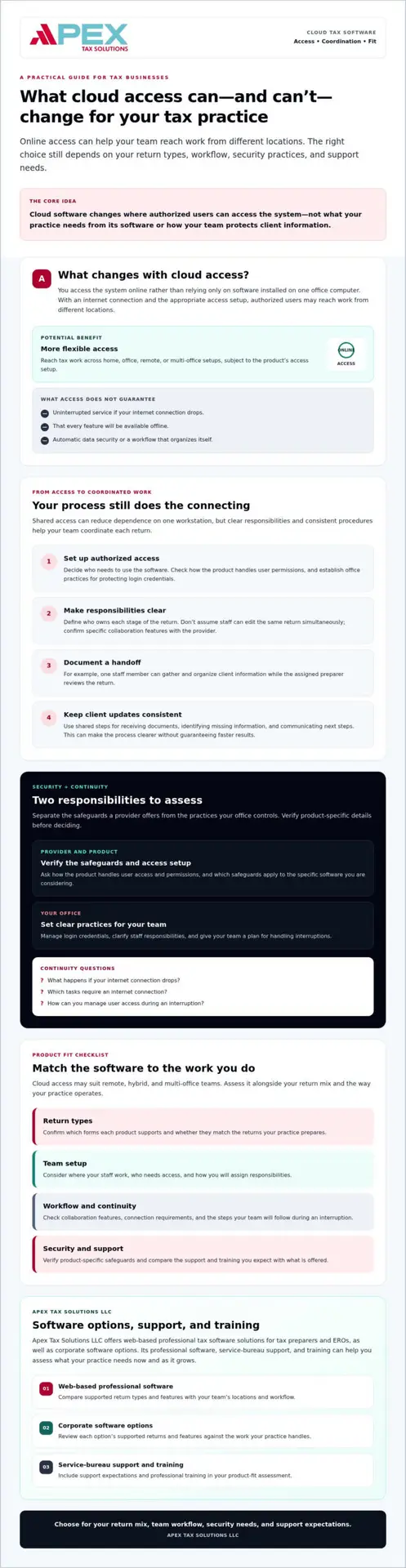
How to assess whether cloud tax software fits your practice
Cloud access is one part of the decision, not a complete measure of software fit. To compare options with your practice in mind, work through five areas: the returns you prepare, your team setup, your workflows, security requirements, and the support and training you need.
- Returns: List the return types you prepare now and expect to support.
- Team setup: Note whether you work from one office, multiple offices, or remote locations.
- Workflows: Identify how your team assigns, reviews, and hands off returns.
- Security: Confirm the product’s current safeguards and your office responsibilities.
- Support: Ask what assistance and professional training the provider offers.
Match software to return types and team structure
Start with your return mix. A practice focused on individual returns may have different software requirements from an office that prepares business-entity returns. TaxSlayer Pro Web is a web-based professional tax software solution, while Apex Tax Solutions LLC also offers corporate software. Check each product’s supported forms and features directly before deciding which one fits your work.
Next, map your team’s work locations and responsibilities. Consider whether preparers need access across offices or mainly work from one location. Then compare those needs with the product’s supported access and workflow capabilities. This helps you assess cloud convenience alongside return coverage, rather than assuming one feature answers every requirement.
Evaluate support, training, and the full service model
Ask how the provider supports software setup, responds to questions, and helps you build your team’s tax-preparation knowledge. Confirm which forms of assistance and professional training are available, and how you can access them. If your team serves clients in more than one language, include any language-support requirements in your comparison and confirm what the provider offers.
Your provider relationship matters as much as the software interface. A connected model that brings tax software, service-bureau support, and professional training together may suit your business better than choosing software without considering the help around it. Apex Tax Solutions LLC’s Service Bureau Partner Program includes software setup, dedicated bureau support, and year-round mentorship. The benefits of cloud tax software for tax businesses depend on this broader fit, not just the ability to log in from different locations.
Use your checklist to compare products and support against your practice’s actual needs. Explore APEX tax software and business support as you evaluate your options.
How APEX connects cloud tax software with ongoing business support
Choosing cloud tax software means assessing more than remote access. You also need a product that matches your return mix, a plan for protecting client information, and support that helps your team use the software confidently. Apex Tax Solutions LLC connects professional tax software with service-bureau support and training, bringing these considerations together as you plan for your business.
What APEX Cloud Pro is designed to support
For web-based tax software, Apex Tax Solutions LLC offers TaxSlayer Pro Web. Its web-based technology allows tax professionals to manage their office and file returns from anywhere with an internet connection. Consider whether that access model suits your team’s work locations, then confirm the product’s supported returns, functions, and access controls for your specific needs.
Apex Tax Solutions LLC also offers corporate software. If your practice prepares business returns, ask which forms and workflows the corporate product supports and how it compares with your current requirements. Check return coverage before choosing either product, rather than assuming that all professional tax software supports the same work.
Choose a partner for more than software access
Software is one part of adopting a new way to work. Service-bureau support and professional training can complement your software choice as your team learns and develops its processes. Apex Tax Solutions LLC also offers WISP and cybersecurity training, which you can consider alongside your office’s security practices.
The Service Bureau Partner Program combines software setup, dedicated bureau support, and year-round mentorship for tax business owners. If you are comparing providers, ask what is included in the support model and how it fits your team’s plans. You can also consider GHL for Tax Offices, which is designed to help tax businesses automate marketing and manage client communications through CRM tools.
The benefits of cloud tax software for tax businesses depend on product fit and the support around it. If you need web-based access for your tax practice, consider whether TaxSlayer Pro Web fits your setup. If your return needs differ, clarify supported forms and features before deciding.
Discover the APEX advantage and explore whether APEX software, service-bureau support, and professional training fit your tax business.
Choose cloud tax software that fits how you work
The benefits of cloud tax software for tax businesses depend on more than online access. The right fit starts with your return types and team setup, then accounts for workflows, security practices, and the support your staff need. Cloud tools may help your team work across locations, but they don’t replace clear procedures or your responsibility to protect client information.
Apex Tax Solutions LLC offers TaxSlayer Pro Web for tax professionals who need web-based software, as well as corporate software for practices to evaluate against their return requirements. The company also connects tax software with service-bureau support, professional training, and WISP and cybersecurity training.
Your next step is to compare those capabilities and support with the needs of your practice. Discover the APEX advantage and explore whether APEX can support your team’s next stage of growth. With a thoughtful software choice and the right partner, you can build a more connected tax business.
Frequently Asked Questions
Is cloud tax software a good fit for a small tax business?
Yes, cloud tax software can fit your small tax business if you need online access across locations or want to support a remote team. Start by listing the return types you prepare, then assess your provider’s support model and your office’s internet and security practices. The benefits of cloud tax software for tax businesses depend on product fit, not business size alone. Confirm that the software supports your forms and workflows before you choose.
Can tax preparers access cloud tax software from different locations?
Yes, web-based tax software can generally be accessed from different locations if you have an internet connection and an authorized account. Each product sets its own access rules and available functions, so ask the provider who can use the system and which workflows it supports. Also ask what you and your staff can do when you lose connectivity. Those answers can help you plan access and work procedures for your practice.
Is cloud tax software more secure than desktop software?
No, cloud tax software isn’t automatically more secure than desktop software. You need to consider both the provider’s safeguards and your office practices, including how you manage access, train staff, and plan for interruptions. Ask providers how they handle data and user accounts, then verify details for the specific product you’re considering. Your business must maintain appropriate procedures to protect sensitive client information, whatever software you choose.
How can cloud tax software help a multi-office tax business?
Cloud tax software may let authorized staff access work across offices without relying on one office computer. You can support coordination by defining who handles each step, how staff communicate handoffs, and how you manage user access. Ask the provider to explain the product’s actual capabilities instead of assuming every system supports the same workflows. Then compare its return coverage, training, and support with how your offices operate and serve clients.
What happens if my internet connection goes down while using cloud tax software?
An internet outage may stop you from accessing cloud software or completing some tasks, depending on the product. Ask the provider which functions, if any, you can use without a connection and how it handles service interruptions. Prepare a continuity plan that tells your staff how to communicate, protect client information, and resume work after access returns. Don’t assume you can work offline; confirm the product’s capabilities before you rely on them.
Does cloud tax software support every type of tax return?
No, each product supports specific return types, so check its form coverage before you choose. Apex Tax Solutions LLC offers TaxSlayer Pro Web and corporate software. Ask which return types each product supports and compare that information with the forms you prepare now and expect to add as your practice develops.
What should I compare when choosing cloud tax software for my tax business?
Compare supported return types, access needs, team workflows, product-specific security information, provider support, and training. Ask direct questions about features instead of assuming all cloud products work alike. Consider whether your internet access and continuity plans can support your daily operations, too. The benefits of cloud tax software for tax businesses matter most when you choose a product that fits your preparation work and the way your team serves clients.
To compare TaxSlayer Pro Web, corporate software, service-bureau support, and professional training for your practice, contact Apex Tax Solutions LLC.